Picture in, game out
Picture in, game out: a cat drawing becomes a Game Boy Color rooftop runner
This is one real img2gbc session from start to finish. A simple drawing of an orange cat went in with one sentence, and 4 minutes 4 seconds of agent time later a Game Boy Color game came out: a night-time rooftop runner where that cat, as a 16 x 16 sprite, jumps the gaps between roofs and collects fish. It cost 10 gems, paid from the free gems a new account starts with.
Also in: Español · Deutsch · Français · Português · Italiano · Nederlands · Svenska · Norsk · Bahasa Indonesia · Türkçe · Polski · Tiếng Việt · Русский · 日本語 · 한국어 · 繁體中文
On this page
Everything below is a screenshot of that session. Nothing was touched up, including the parts that did not come out right.
The picture
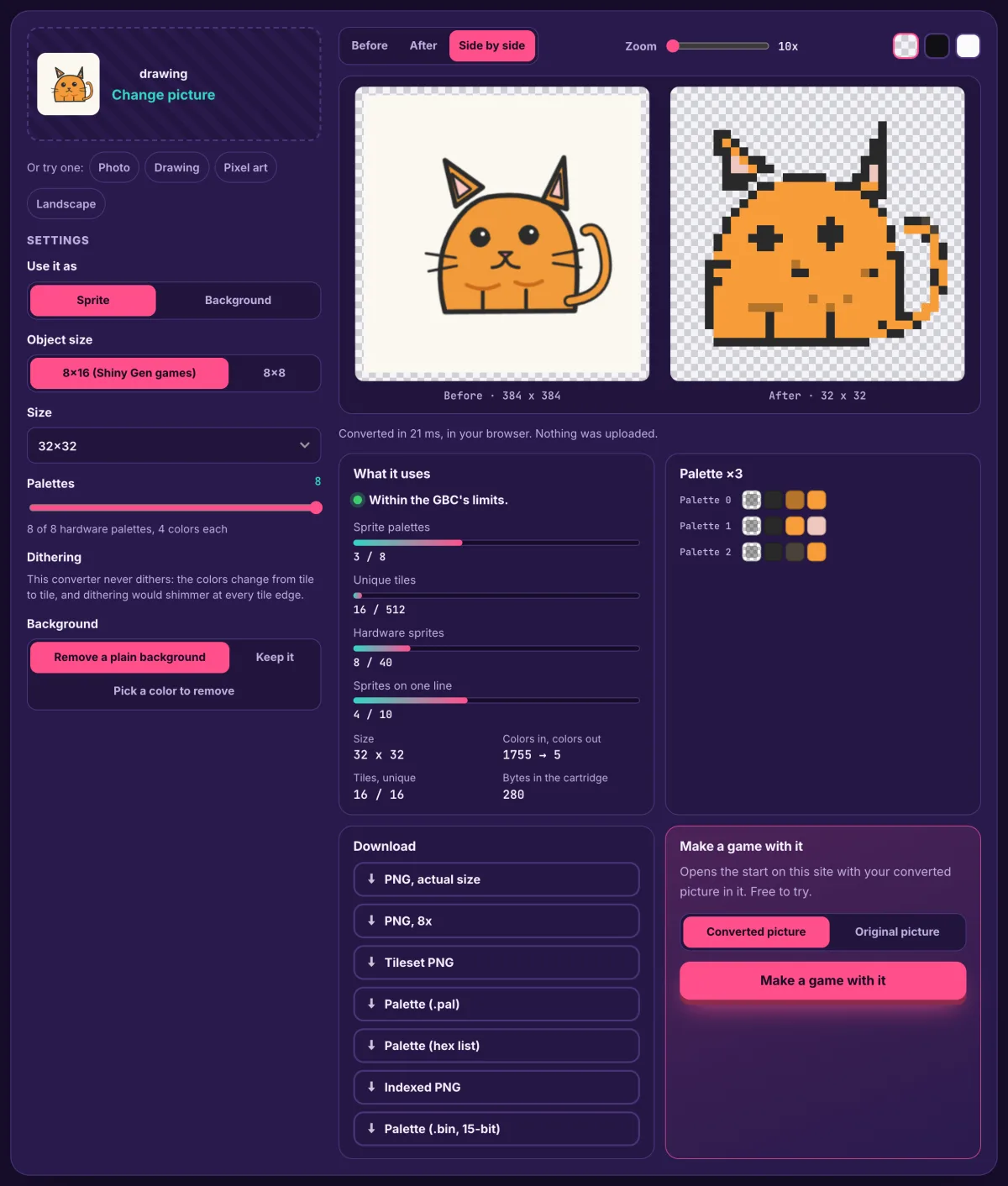
A flat drawing: an orange cat with a thick dark outline, pink inside the ears, round eyes and a curly tail, on a white background. That is about the friendliest kind of picture for a Game Boy Color sprite. The outline survives shrinking, and the cat is mostly one color, which matters on a console where a sprite keeps three visible colors.
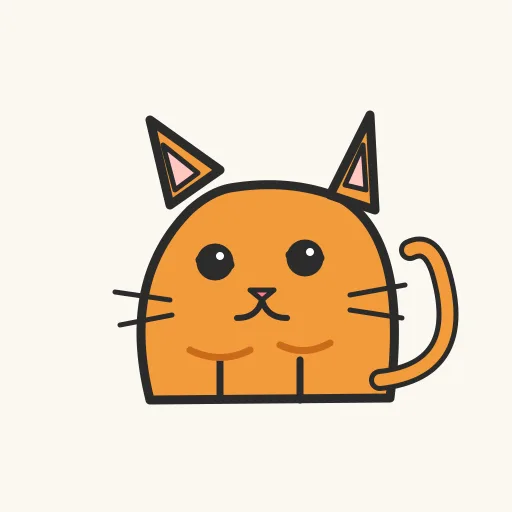
A photo of a real ginger cat works the same way. Crop it so the cat fills the frame, and the plainer the background, the cleaner the cut-out.
The prompt
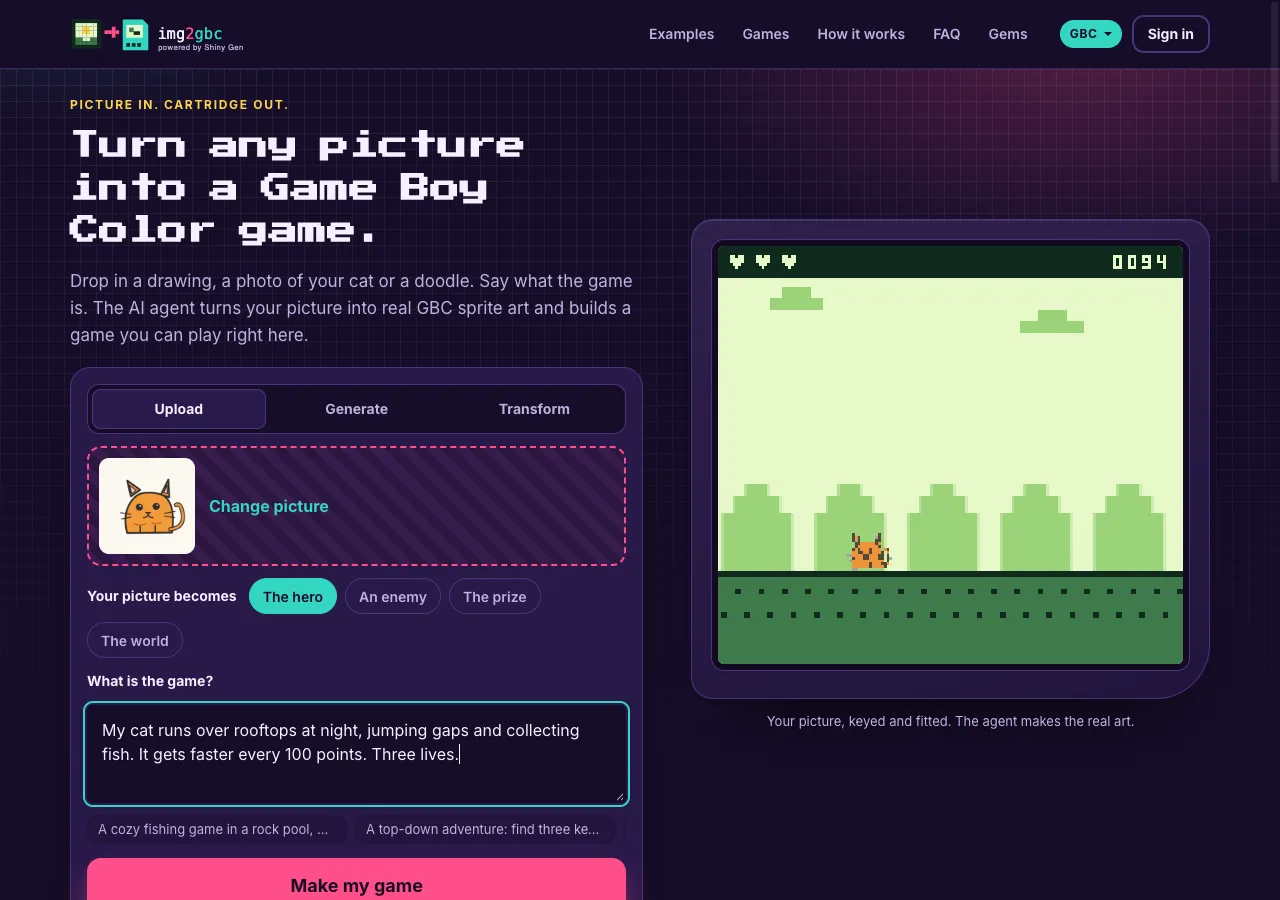
On the start card the cat was set as The hero, and the game was one sentence plus two rules:
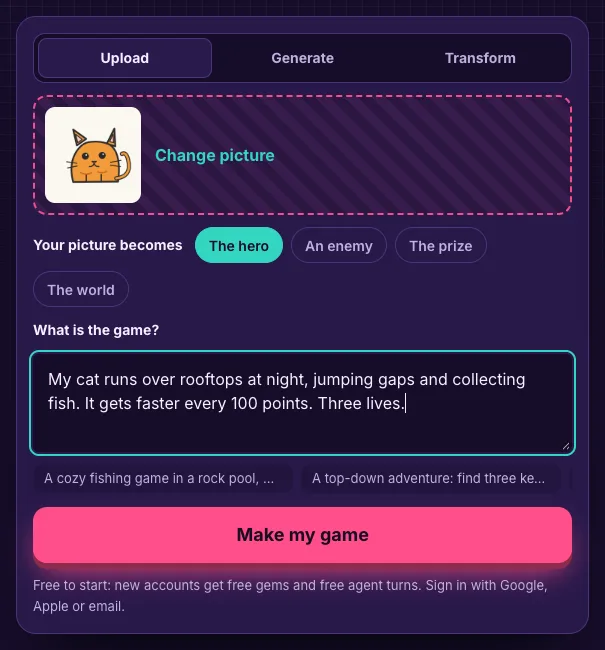
The site added two things before the agent saw it. Because the drawing had a plain border, it cut the cat out and sent a transparent PNG, and said so, so the agent spent no gems on background removal. And because the role was the hero, it told the agent to import the picture as it is, as a 16 x 16 sprite, keep it as the art, and bring it to life in code with a bob, a squash on landing, and a flip to face where it runs.
What the AI did
The account was brand new, made on the sign-in that opened on img2gbc.com. The studio opened on the same domain, already on the Game Boy Color engine, and the agent started working with the cat and the words as its first message.
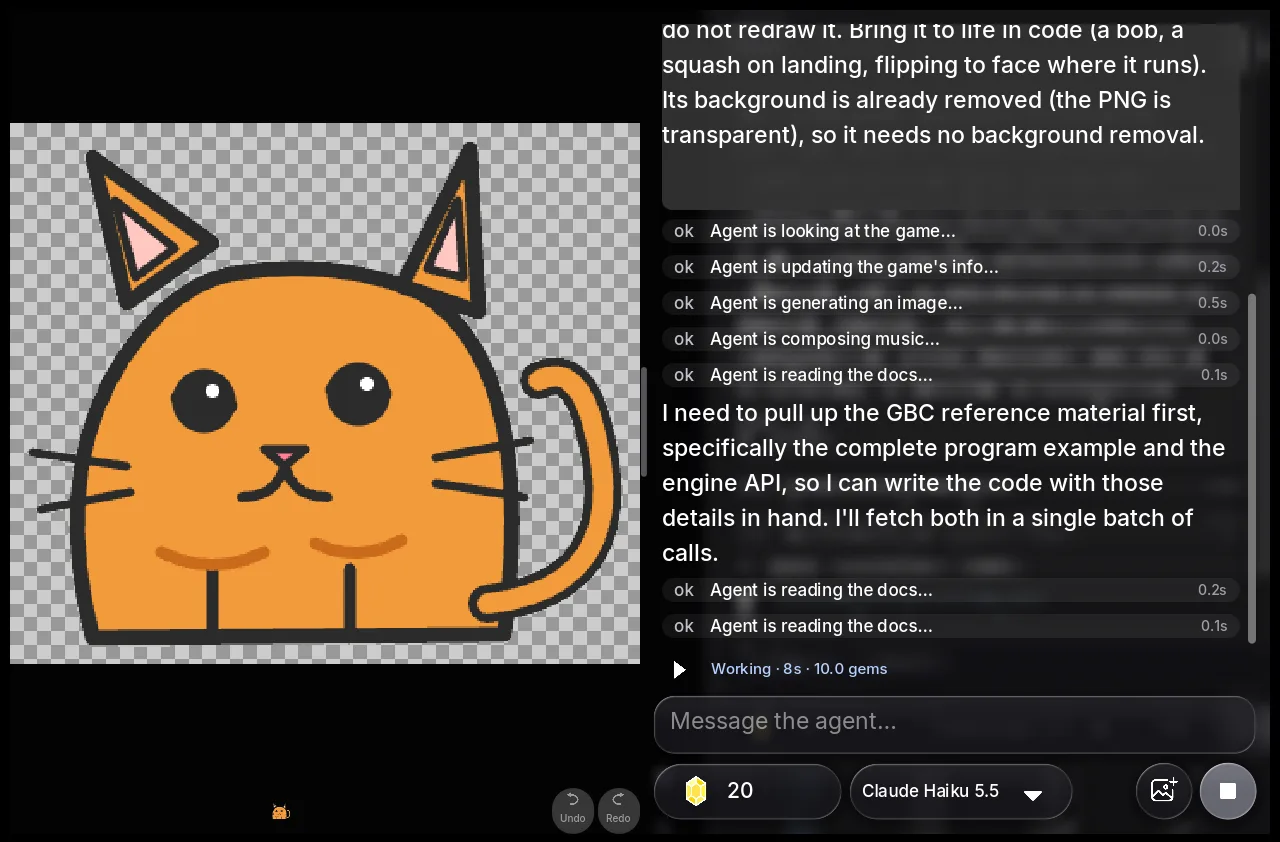
It imported the cat, untouched
The first thing on screen was the cat in the game's assets, background already transparent. The agent did not redraw it. It then read the Game Boy Color reference: the complete program example and the engine's functions.
It worked out how the console would draw it
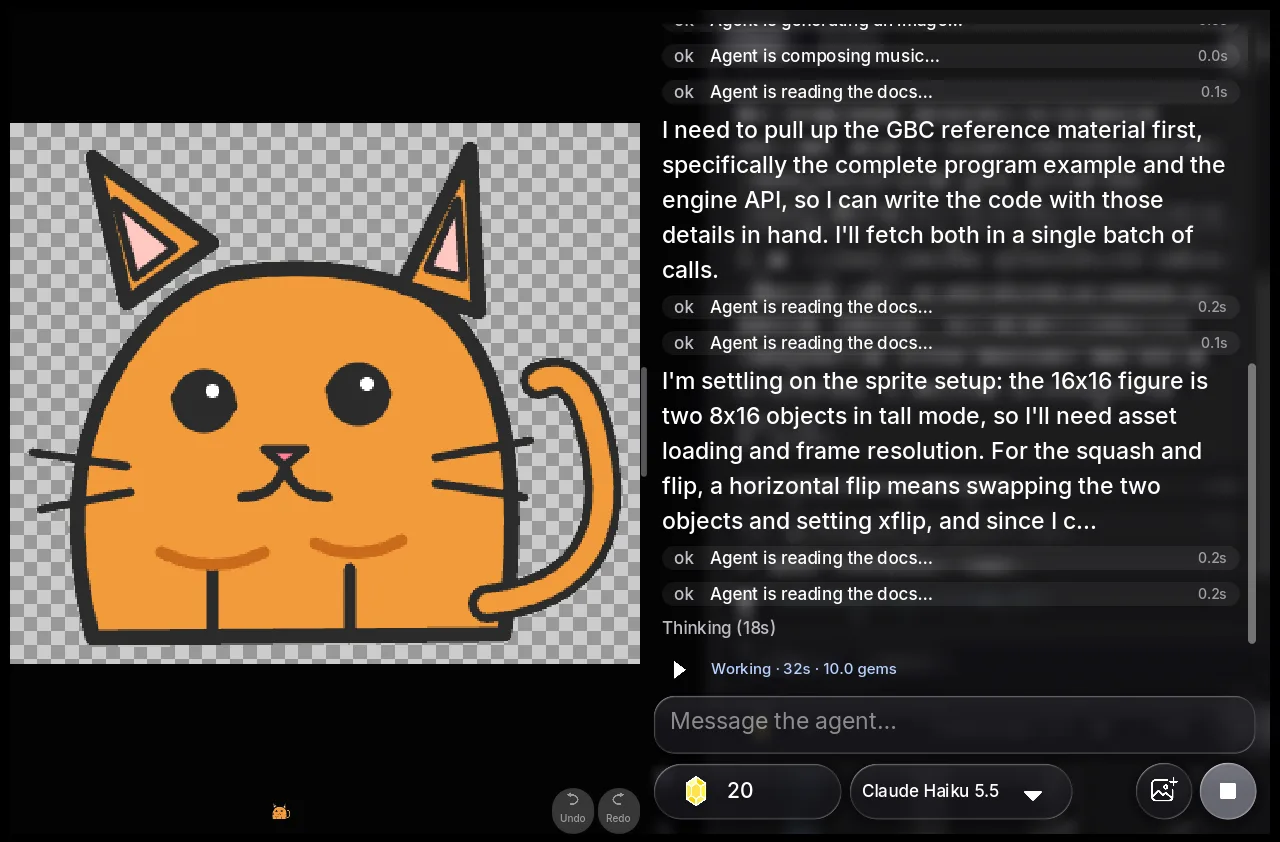
A Game Boy Color sprite is built from small hardware objects, so a 16 x 16 cat has to be assembled. The agent's plan, in its own words: the 16 x 16 figure is two 8 x 16 objects in tall mode, and turning the cat around means swapping the two objects and setting the horizontal flip. That is exactly how a Game Boy Color programmer would do it.
It drew the rooftops and wrote the physics
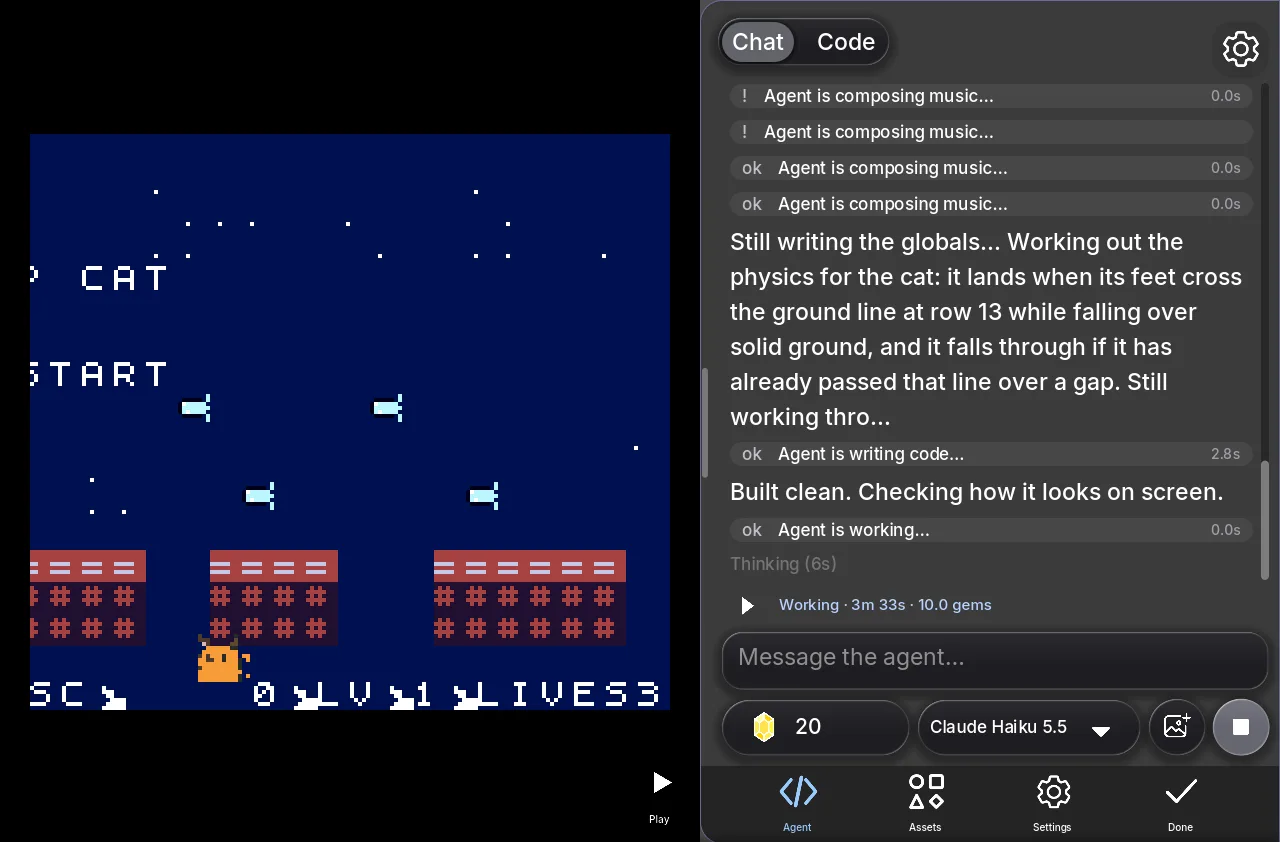
It weighed reusing the font's tiles for the rooftops and decided to draw its own tiles instead. It wrote the game and worked out the landing rule: the cat lands when its feet cross the ground line while it is over a roof, and falls through if it is over a gap. Then it built the cartridge ("Built clean. Checking how it looks on screen.") and looked at the result.
It found and fixed a bug on its own
Looking at its own screenshots, the agent found that the title text was drawing over a block of garbage tiles. It moved the title text into two rows at the bottom of the screen and checked the fix in another screenshot.
It said what it had not tested
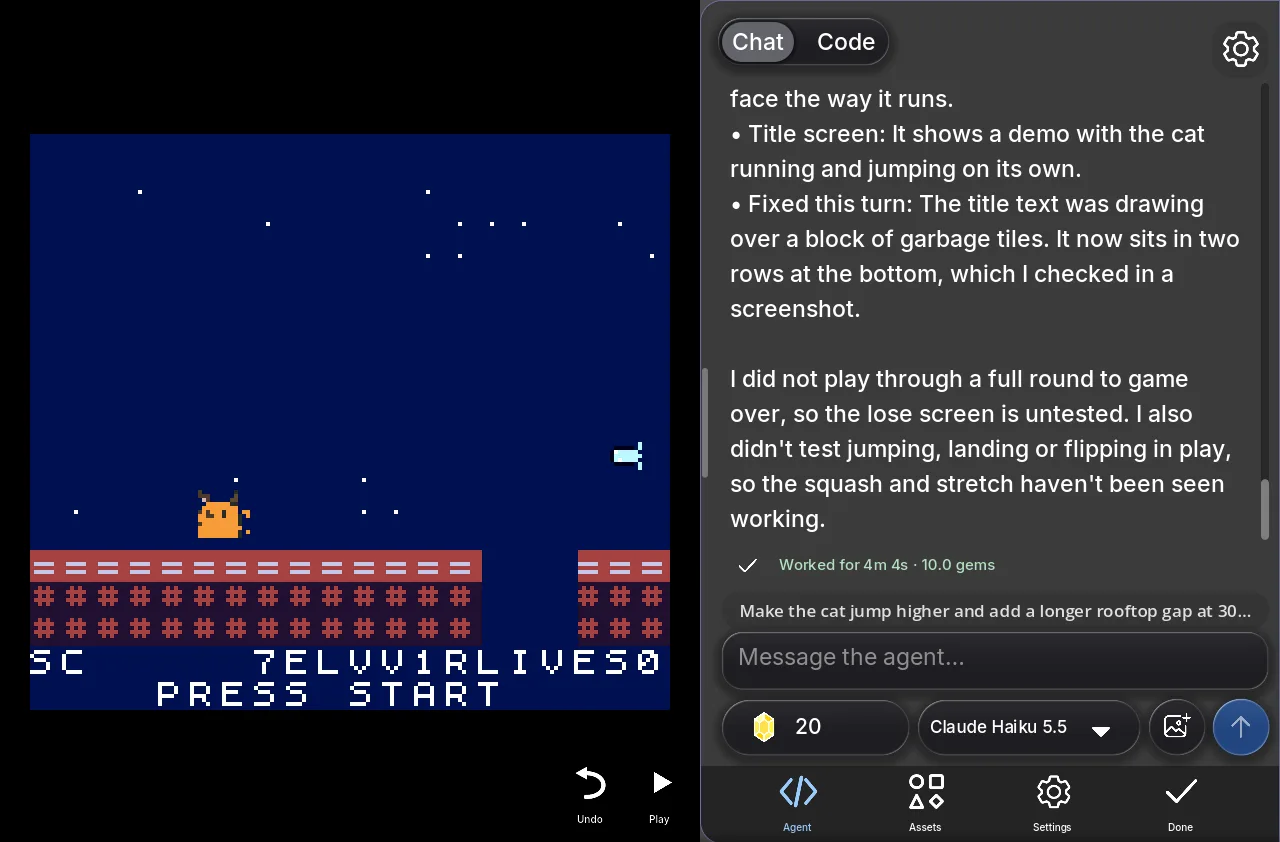
The handover listed what the game does: the cat runs and jumps the rooftops, faces the way it runs, and the title screen plays a demo of the cat running and jumping on its own. Then it was candid: it had not played a full round to game over, so the lose screen was untested, and it had not seen the jump squash and stretch working in play. It worked for 4 minutes 4 seconds and spent 10 gems; the account had 20 left.
The game that came out
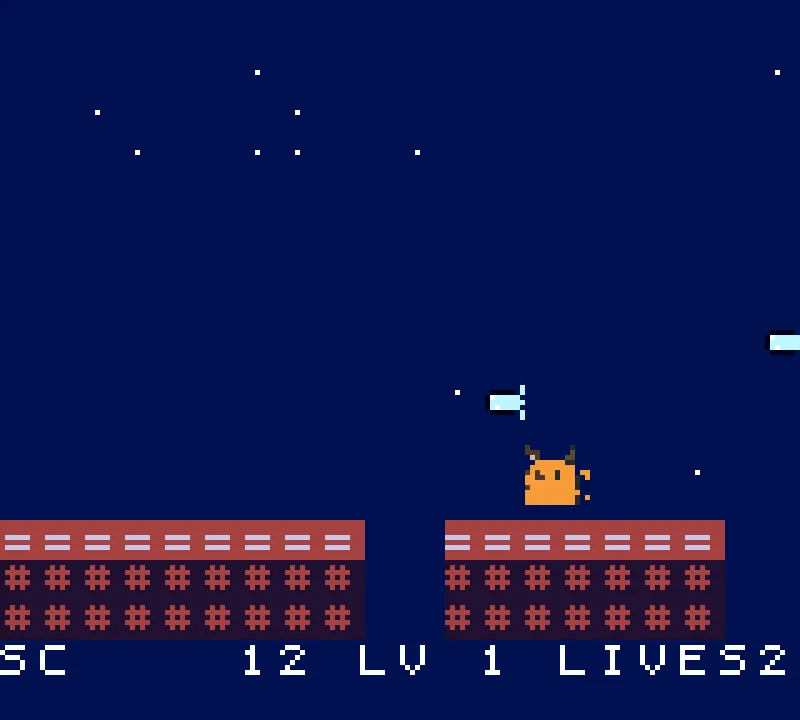
Pressing Start drops you onto the rooftops. The cat, orange and whole, runs across red roofs under a starry sky; fish float above the gaps; the score, level and lives sit along the bottom. In our short play the score went from 2 to 14 and the lives went down from 2 to 1: a runner with fish, gaps and lives, which is the game the sentence asked for.
Two things were not right, and we are leaving them in so you know what a first pass looks like:
- The title screen's score line came out jumbled. In play the bottom row reads cleanly (SC 12, LV 1, LIVES 2), but on the title screen the same row ran into the text beside it. One more message to the agent ("the score line on the title screen is jumbled") is the fix.
- The cat is small. A 16 x 16 sprite on a 160 x 144 screen is about the size of a classic Game Boy hero. Its face and ears survive; the whiskers do not.
What we learned from this picture
- Flat drawings with outlines are the best input. The cat's outline and its one main color are why it reads at 16 x 16.
- Say the rules, not just the theme. "Faster every 100 points" and "three lives" gave the agent concrete things to build and check.
- Read the handover. The agent says what it did not test. That is the list of things to try first, and to ask about next.
Make your own
Use a drawing, a photo of your own cat, or ask the Generate tab for "a round orange cat with big eyes, pixel art" (3 gems). Pick The hero, write one sentence about the game, and press Make my game. The how-it-works guide covers every option on the card.
FAQ
Is this a real Game Boy Color game?
Yes. The agent wrote it in a small C-like language and Shiny Gen compiled it to the Game Boy Color's own machine code. The game in the screenshots is that cartridge running in an emulator in the browser, and the same file can be exported as a .gbc ROM with any one purchase, from $2.99.
Did the agent redraw my cat?
No. The site sent the drawing cut out from its background and told the agent to keep it as the art; the cartridge scaled it to 16 x 16 and fitted it to the console's colors.
How much did this cost?
10 gems, from the free gems a new account starts with. No purchase was needed to make or play it.
Why 16 x 16 and not bigger?
A Game Boy Color sprite is built from 8 x 16 hardware objects. At 16 x 16 the cat is two objects and stays whole and in color; bigger sizes need the agent to lay out more objects, which is where pictures came out scrambled in our tests. For a bigger sprite with more colors, img2gba.com puts your picture on a Game Boy Advance as one 32 x 32 sprite with 15 colors.
Can I keep changing the game?
Yes. Keep talking to the agent in the same chat, or edit the code yourself in the Code view, which costs nothing.
Further reading
Last updated: November 17, 2026